Building NovyWave: GTKWave alternative
NovyWave, user feedback, and the final stretch to a polished release.
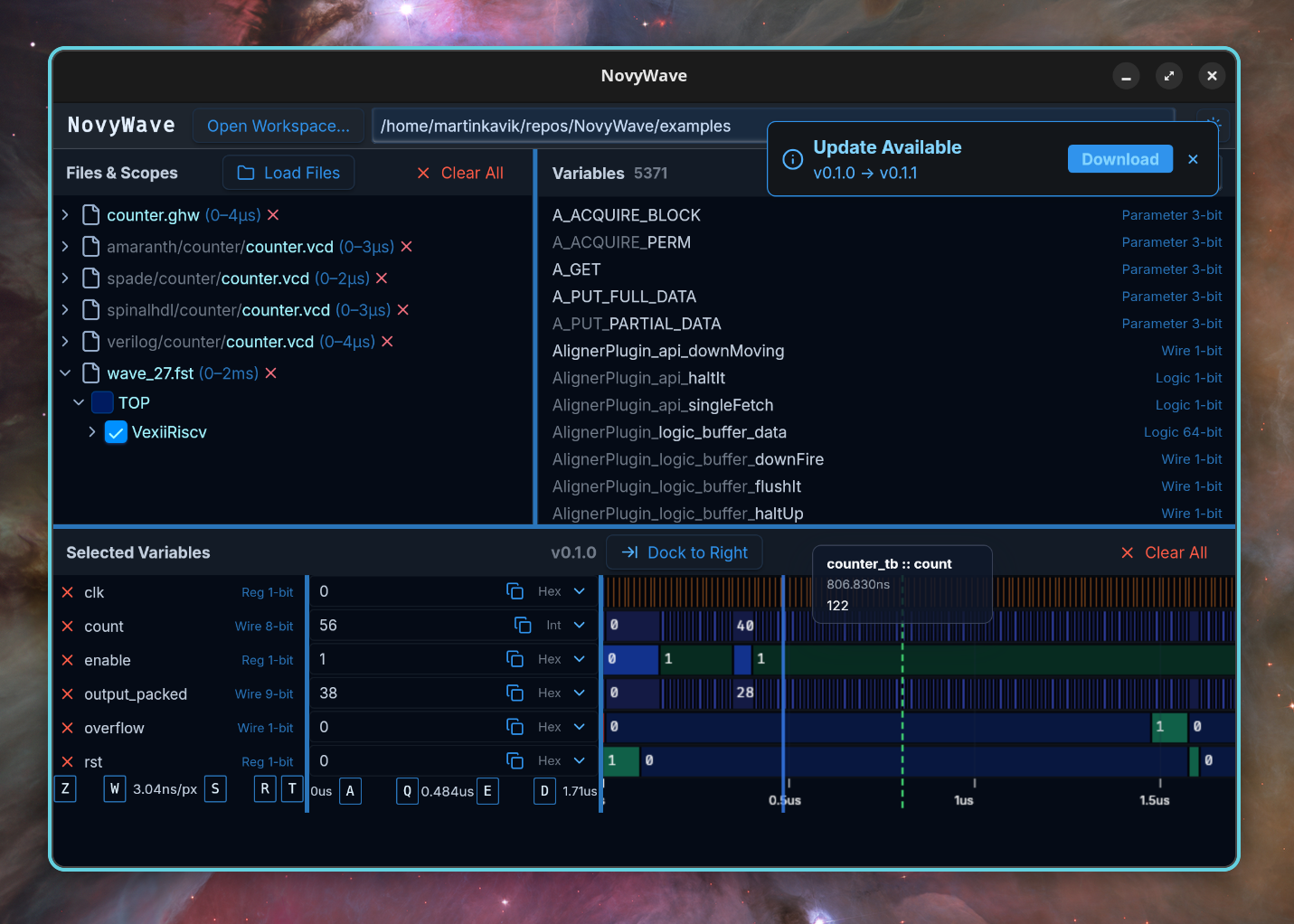 NovyWave running on Linux.
GTKWave has been the default open-source waveform viewer for over two decades. It earned that position honestly: it was there first and it works. But the UI feels like it was designed for a world where CRT monitors were still standard. There are no precompiled Windows binaries for recent versions. macOS support is unreliable. Large waveform files can eat gigabytes of RAM and stall the UI. And if you try to file a bug, you will find an issue tracker where many things have been reported but few have been fixed recently.
NovyWave started from that frustration. It is an open-source waveform viewer built as a modern alternative — desktop app, cross-platform, with gamer-style WASD controls for navigating waveforms. The idea is not complicated: keep waveform debugging fast enough for daily professional use, but approachable enough that you do not need a wiki to add your first signal.
I built it on MoonZoon and Tauri — a single Rust codebase that compiles the frontend to WebAssembly, runs a native backend for file parsing and plugin hosting via Wasmtime, and wraps into a Tauri desktop app. Minimal JavaScript glue, no Electron. This post covers how user research and public issue tracker analysis shaped what gets built on top of that foundation.
Four conversations that changed my priorities
I spent a cycle doing two things in parallel: reading public issue trackers — GTKWave, vcdrom, oss-cad-suite, Homebrew discussions — to find where waveform viewer users get stuck, and replying to people who emailed me directly about NovyWave. The issue trackers told me what was broken. The emails told me what it felt like.
A physicist working with RedPitaya (Zynq 7), Vivado, and GHDL on Windows — not an FPGA professional, he was careful to note. GTKWave 3.3.100 (the last precompiled Windows binary) broke on newer .ghw files after a GHDL upgrade, so he switched to .fst. He planned to run NovyWave in WSL and access it through localhost in a Windows browser. Auto-reload was an immediate win. Analog visualization in GTKWave was the other sore point:
“Height extensions feel wonky, and values are normalized to the current window — I cannot set limits manually.”
A developer on macOS and WSL2 reached out looking for a GTKWave alternative. NovyWave was too early for real testing at that point — it would not even build on his machine. But the exchange started me thinking about why GTKWave is still the default after two decades.
“Hardware users are very conservative types.”
It makes sense — verification already consumes most of the design cycle, and a missed signal can mean costly re-fabrication. People stick with the tool they know, even if they hate it. Few people work deeply enough in both hardware and software to build better alternatives, and fewer still can sustain it. The major EDA vendors have no incentive to change this — their business runs on lock-in, proprietary tool chains, and near-total customer retention.
Another hardware developer — a university student simulating a VHDL traffic light controller — first tried NovyWave on Mac M1 months earlier: blank screen, loading hangs. He came back after prebuilt binaries shipped. No blank screen this time, but the file dialog expected Linux-style paths (/home) on macOS and files in /tmp would not show. Once past that:
“Dock to Bottom is great, binary/hex toggle is practical, keyboard flow is strong, and multiple dump comparison is a huge plus.”
On Hyprland Arch Linux everything worked without the filesystem issue.
A developer building a pipelined MIPS processor in Verilog on macOS. Used GTKWave “for a long time” and hated it. ChatGPT recommended NovyWave. He cloned the repo and hit a build error — a local path dependency left over from my machine. Fixed the same week when CI produced the first release binaries, but another reminder:
“If people cannot install the tool, nothing else matters.”
What the issue trackers confirmed
The emails told me what felt broken. The issue trackers told me it was not just four people — it was a pattern across the entire GTKWave user base. Here are the recurring pain clusters I found:
- Signal onboarding is unintuitive. Adding signals is literally the first thing you do in a waveform viewer, and users keep reporting it is confusing (GTKWave #368, #476). If this step feels broken, people assume the tool is broken.
- Performance and memory break flow. Stalls and RAM spikes destroy iterative debugging. A 500MB VCD file should not require 3GB of RAM (GTKWave #173, #438).
- Format and semantic edges still hurt. Newer GHDL versions produce
.ghwfiles that older GTKWave builds cannot parse correctly (SourceForge bug #21). The physicist hit exactly this. - Navigation is still too manual. Jump-to-next-change is a daily operation, not a luxury (vcdrom #27).
- Theming and visual comfort are inconsistent. Long debug sessions need readable UI, and GTKWave’s theming has been a known gap for years (GTKWave #4, oss-cad-suite #186).
- Cross-platform polish blocks adoption. macOS issues alone have accumulated dozens of reports (GTKWave #43, #207, #269, #250). Desktop problems feel like product reliability problems.
- Packaging is a product feature. If users cannot install confidently, they never evaluate the core UX (GTKWave #486, #219, Homebrew discussion #2367).
- Extensibility demand is explicit. Users want plugins and automation, not just UI controls (GTKWave #308, #209).
The pattern is not a single missing feature. It is compounding friction across onboarding, scale, and platform reliability.
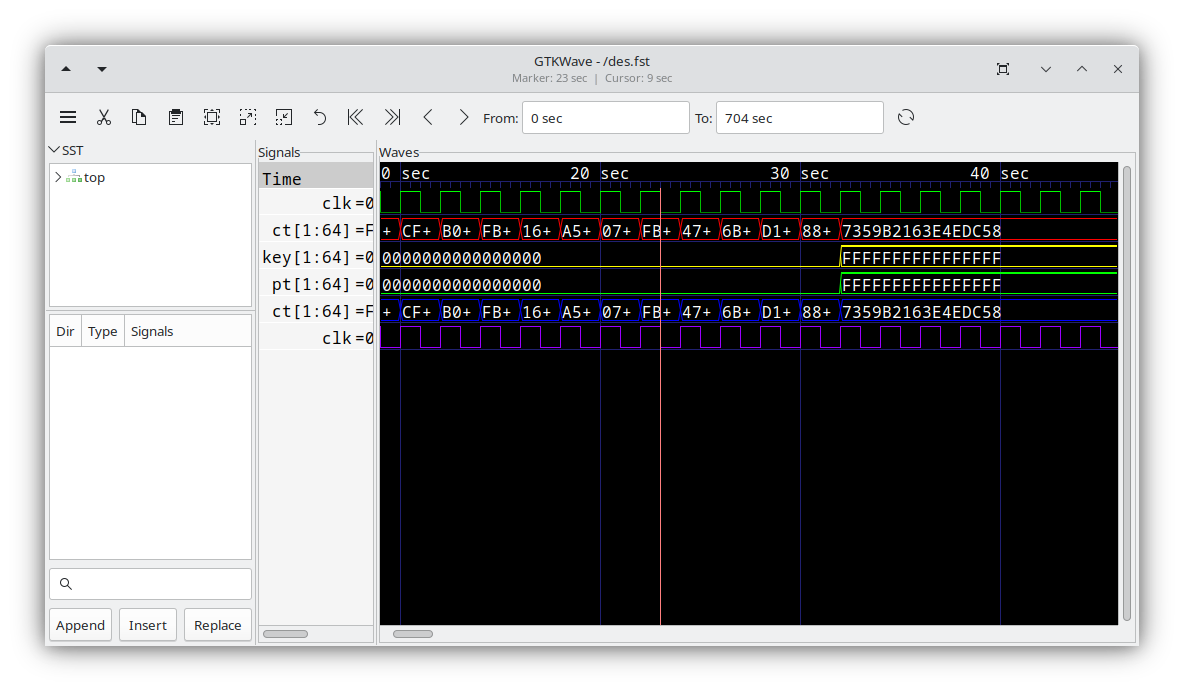 GTKWave — the default open-source waveform viewer for over two decades.
What is already built
These conversations did not happen in a vacuum. A lot of the foundation was already in place — the interviews just confirmed which parts mattered and which had gaps.
Here is what NovyWave already does.
Format & compatibility
- VCD, FST, and GHW format support — the three formats that cover most VHDL, Verilog, and GHDL workflows.
- Multi-file waveform comparison — load two or more dumps into the same session and compare them side by side. This feature was originally suggested by the author of SpinalHDL and VexRiscv early in the project.
- Signal state rendering — Z (high-impedance), X (unknown), U (uninitialized), and N/A states already display with distinct colors and sizing. This came from the format compatibility research (SourceForge bug #21).
Navigation & controls
- Gamer-style navigation — W/S to zoom, A/D to pan, Q/E for cursor movement. Shift+Q/E jumps to the previous/next signal transition. If you have ever played a first-person shooter, you already know the controls.
- Jump to next/previous transition — Shift+Q/E jumps between signal changes. This covers the basic case from the “navigation is too manual” finding (vcdrom #27) — named markers and time bookmarks are still planned.
- Peak-preserving decimation — zooming out on large traces keeps short events visible instead of losing them to sub-pixel averaging. Motivated by the performance cluster (GTKWave #173, #438).
Platform & deployment
- Cross-platform desktop app — built with Tauri, with builds for Linux (AppImage, .deb, .rpm), macOS (DMG), and Windows (MSI, NSIS).
- Dark and light themes, flexible layouts — including the “Dock to Bottom” layout one user highlighted.
- Browser and desktop modes — NovyWave runs as a Tauri desktop app or as a browser app via the MoonZoon backend. The physicist’s WSL scenario is a perfect example: run the backend in WSL, open
localhostin a Windows browser — no desktop app installation needed. Also works for remote servers and team sharing over the network. - Example projects for five HDLs — ready-to-run examples for VHDL, Verilog, SpinalHDL, Amaranth, and Spade, so NovyWave is not tied to one ecosystem.
Extensibility & workflow
- Workspace persistence and plugin system —
.novywaveconfig files for per-project state. The plugin system is built on WebAssembly (Wasmtime), so plugins are sandboxed and portable across platforms. This directly answers the extensibility demand from the issue trackers (GTKWave #308, #209) — users want automation, not just UI controls, and WASM plugins are how NovyWave delivers that. - Auto-reload via plugin — change your simulation, NovyWave detects the updated file and reloads it. The physicist’s favorite feature, and mine too.
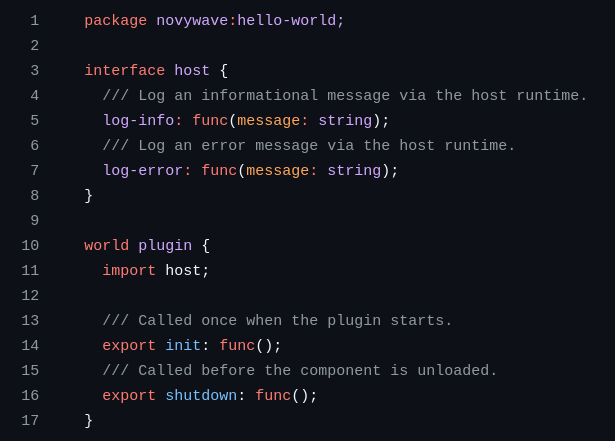 The WIT (WebAssembly Interface Type) definition for NovyWave plugins.
What I am fixing before I would feel good shipping this
This is what stands between the current state and a beta I would be comfortable sharing.
1. Analog signal rendering
This one goes directly to the physicist’s feedback: “height extensions feel wonky, values normalized, cannot set limits.” NovyWave’s backend already parses Real/float values from waveform files, but the frontend renders them as digital rectangles with text — no line charts, no Y-axis. The plan is to add polyline or step-function rendering for analog signals, with a Y-axis scale and user-settable min/max limits. This is a significant addition, so the initial version will focus on getting basic line rendering working with reasonable defaults — a best-effort starting point that can be refined based on feedback.
2. Signal row height resizing
Signal rows are currently fixed at 30 pixels. For analog traces you need vertical space to read values — the physicist’s feedback makes that clear. The goal is drag-to-resize on row dividers, with per-signal heights stored in the workspace config. Analog signals would get a taller default.
3. Signal grouping
The selected variables panel is currently a flat list. Past about twenty signals it becomes hard to find anything — exactly the friction reported in GTKWave #368 and #476. Named collapsible groups would bring structure to larger designs.
4. Named markers / time bookmarks
Jump-to-transition exists, but there is no way to bookmark important time points. This addresses the “navigation is too manual” cluster (vcdrom #27) and the extensibility demand (GTKWave #308). Named markers rendered as labeled vertical lines on the waveform, stored in the workspace config.
5. File picker platform roots
The macOS M1 developer was blocked on first use because the file picker showed /home instead of /Users. Files in /tmp were invisible. This is a first-minute blocker that makes every other feature invisible. macOS needs /Users, ~/Desktop, ~/Downloads, /Volumes. Windows needs clean drive letter handling. And a clear “no waveform files here” empty-state message when a directory has no supported files.
Next steps
The feedback confirmed the viewer works once you get past the setup. The five features above are what stands between “works on my machine” and something I would hand to a hardware developer and say “try this.”
NovyWave on GitHubYou can reach me at martin@kavik.cz.
Full disclosure: an AI helped me write this post — organizing my rambling into something with structure and finding related issues and pain points across waveform viewer and hardware developer tool trackers. The interviews, opinions, and decisions are mine.